Android app for Latvian pay and benefits

Type one salary.
See eleven years of it.

algasKalkulators works out what Latvian payroll actually leaves you: net from gross, gross from net, and the same figure under every set of rules the country has had since 2016. Alongside it are eight more calculators — vacation pay, microenterprise tax, four state benefits, a loan and a deposit. Everything runs on the phone, with no account and no connection.

Get it on Google PlaySee the nine calculators

Free, with ads. Android 6.0 and newer.

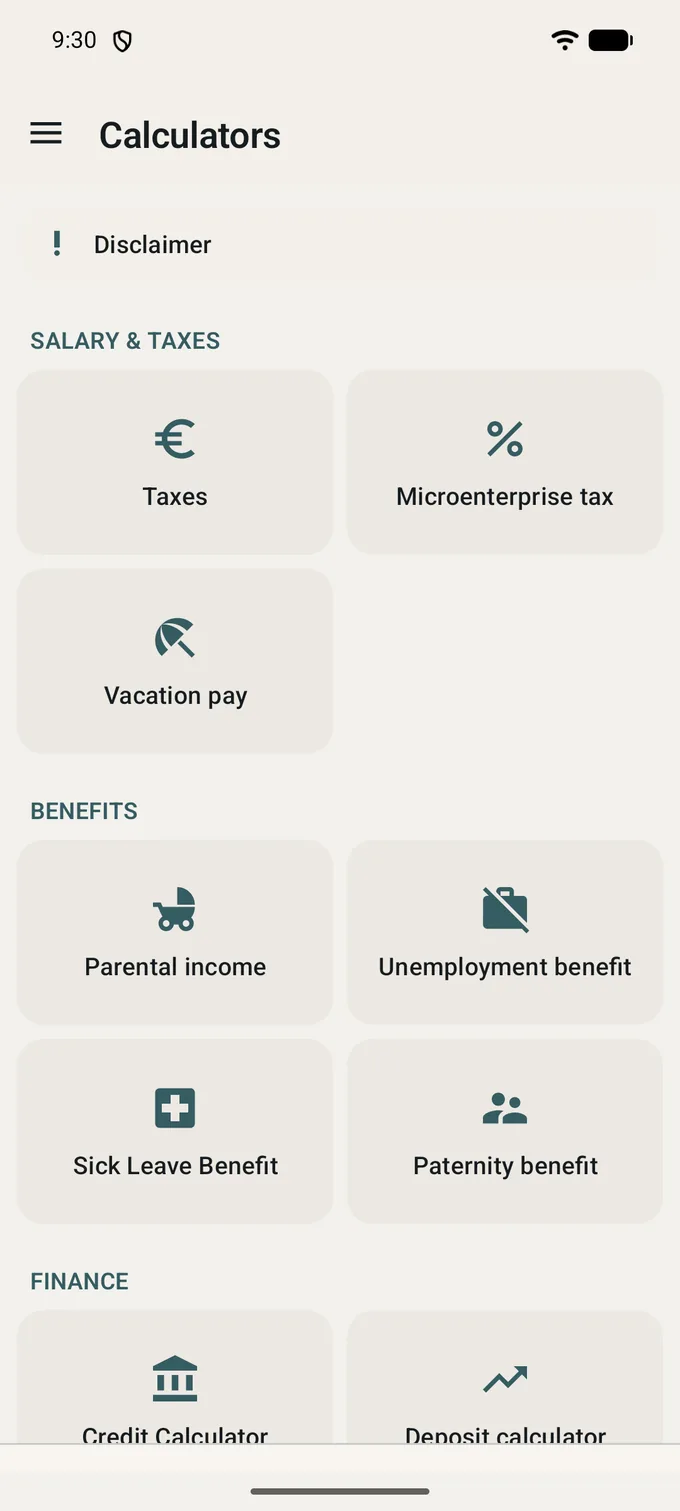
The Calculators screen: a Disclaimer row at the top, then three groups of cards -- Salary and taxes (Taxes, Microenterprise tax, Vacation pay), Benefits (Parental income, Unemployment benefit, Sick Leave Benefit, Paternity benefit) and Finance (Credit Calculator, Deposit calculator).
Nine calculators
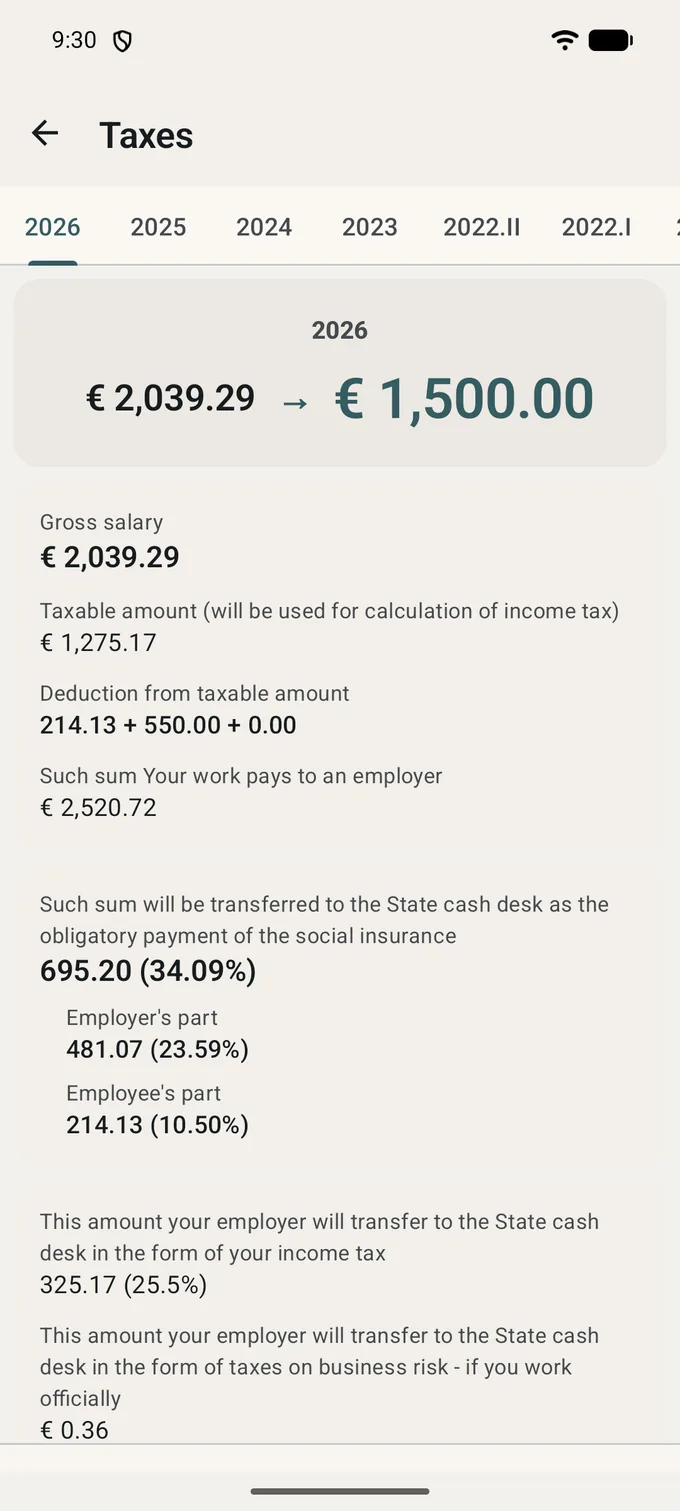
The Taxes result on the 2026 tab, with 2025, 2024, 2023, 2022.II and 2022.I alongside it: 2,039.29 EUR gross becomes 1,500.00 EUR net, and under that the breakdown -- taxable amount, deductions, employer cost 2,520.72 EUR, social insurance 695.20 EUR at 34.09% split into the employer's 481.07 and the employee's 214.13, income tax 325.17 EUR at 25.5% and 0.36 EUR of business-risk duty.
Year by year

Why not the calculator on a news site

Because the interesting questions are the ones a single-year form cannot answer, and because a number you cannot trace is worth nothing.

Every year at once, not just this one

One salary, and the app computes it under twelve sets of rules: 2016 through 2026, with 2022 split in two because the rules changed mid-year. The periods sit as tabs above the result, so moving between them is one tap and the same input. That is how you see what a reform actually did to your pay, rather than being told.

Both directions

Gross to net, and net to gross. The second is the one you need when a job advert quotes take-home pay, or when you want to know what has to be on the contract for a given sum to land in your account.

The rates come from the law

Rates, thresholds and allowances are taken from likumi.lv, the VID and the VSAA, and each is written next to the reference it came from in the source code. No figure in the app is a remembered number from last year's article.

One screen of input, and the exceptions are on it

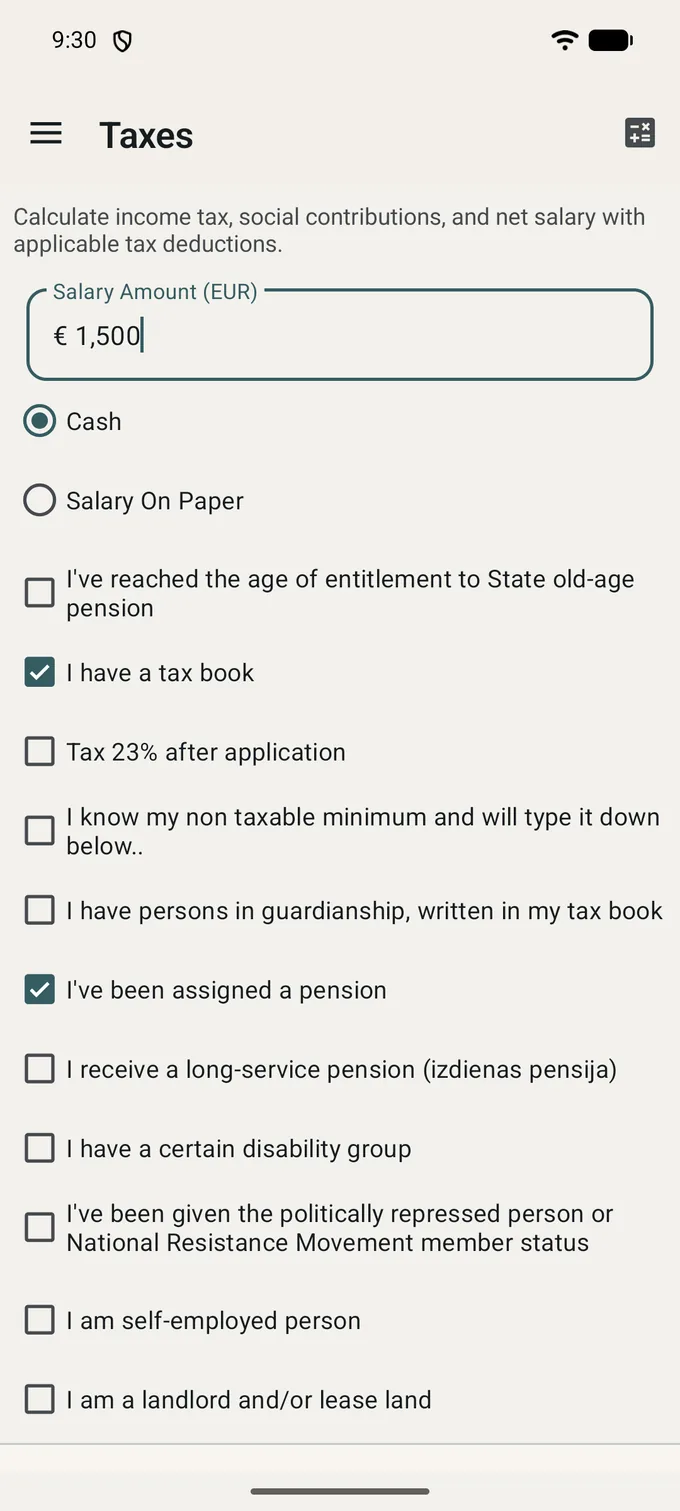
Type the amount, say whether it is on paper or in hand, and tap calculate.

Latvian payroll is not one formula — it is one formula and a list of cases, and the list is what a generic calculator leaves out. Here it is a column of checkboxes on the same screen as the salary.

  • The tax book, and whether the non-taxable minimum applies at this employer. If the VID has already told you your figure, you can type it in instead of letting the app estimate it.
  • Pensioners, with the separate cases the law separates: old-age, long-service, split pension and working while drawing one. Each changes a different part of the calculation.
  • Dependants and disability groups, which move the allowance rather than the rate.
  • The cases that are not ordinary employment at all: self-employed, income from letting property, non-resident, and the deduction applied to a prisoner's earnings.


Pay on one side, the state on the other

Nine calculators, in the three groups the app itself uses.

Salary and taxes

What is earned and what is withheld

  • Salary and payroll tax: net and gross for twelve tax periods, with income tax, both halves of the social contribution, the solidarity threshold and the risk duty shown separately rather than rolled into one deduction.
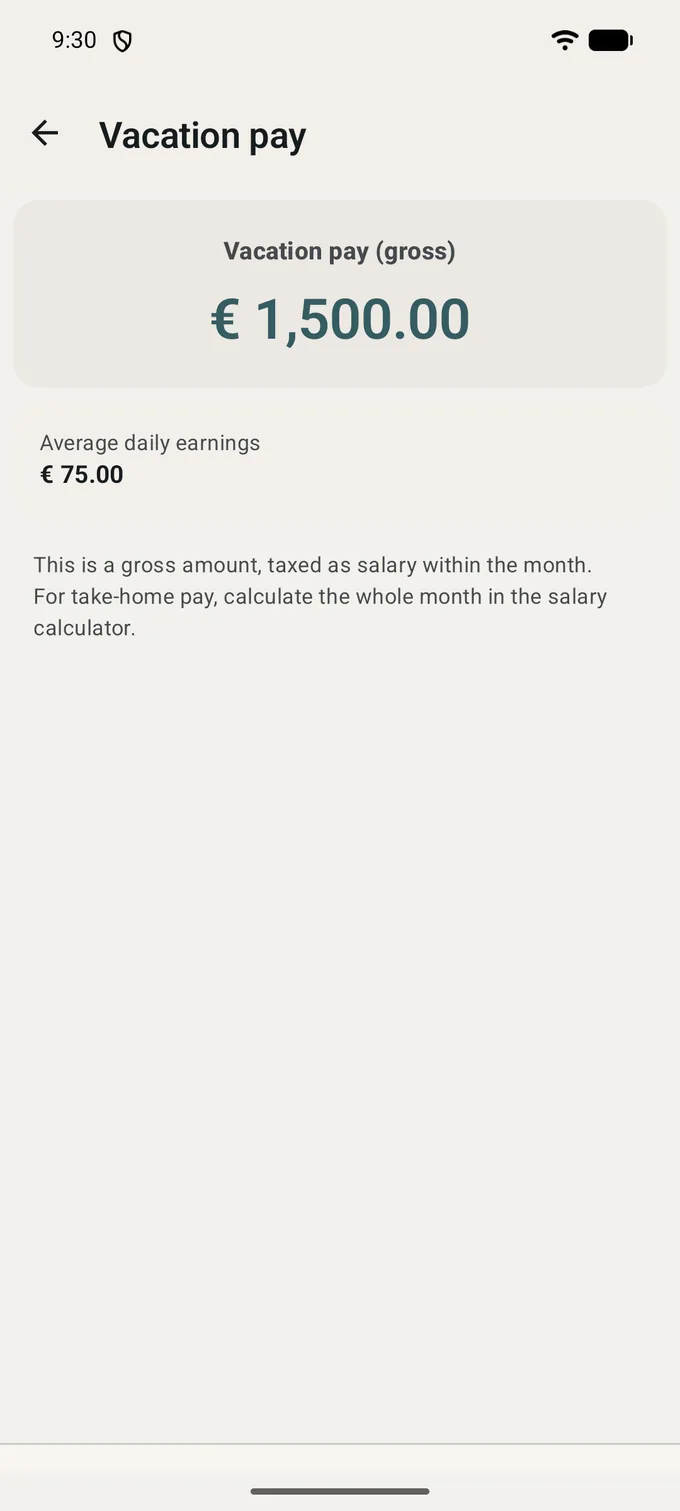
  • Vacation pay, on average earnings over the last six calendar months. Three work-time modes — ordinary days, hourly and summarised working time — because the base is divided by days in one and by hours in the others.
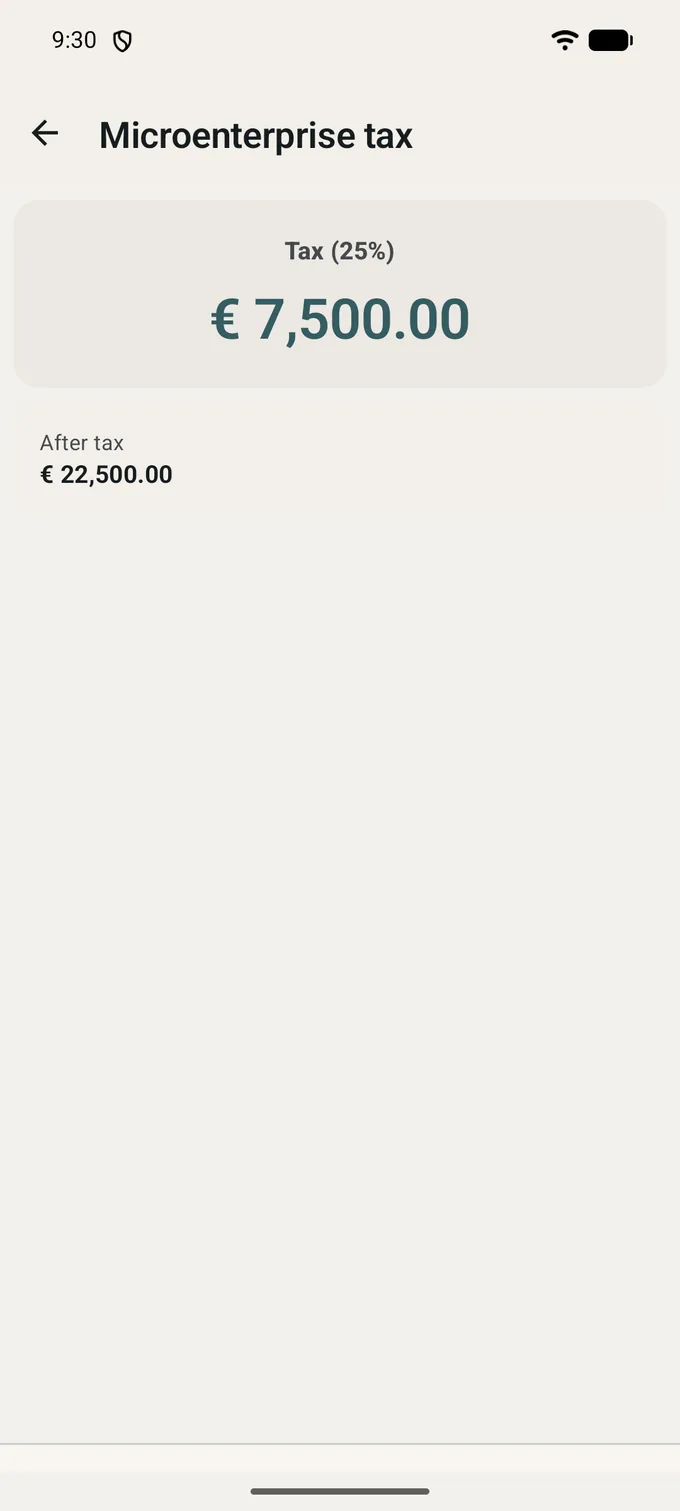
  • Microenterprise tax: 25% of turnover, expenses not deducted, with the two VAT thresholds flagged as you pass them.
  • Every result is a breakdown, not a single figure. You can see which line moved when you tick a box.

Benefits and finance

What the state pays, and what a loan costs

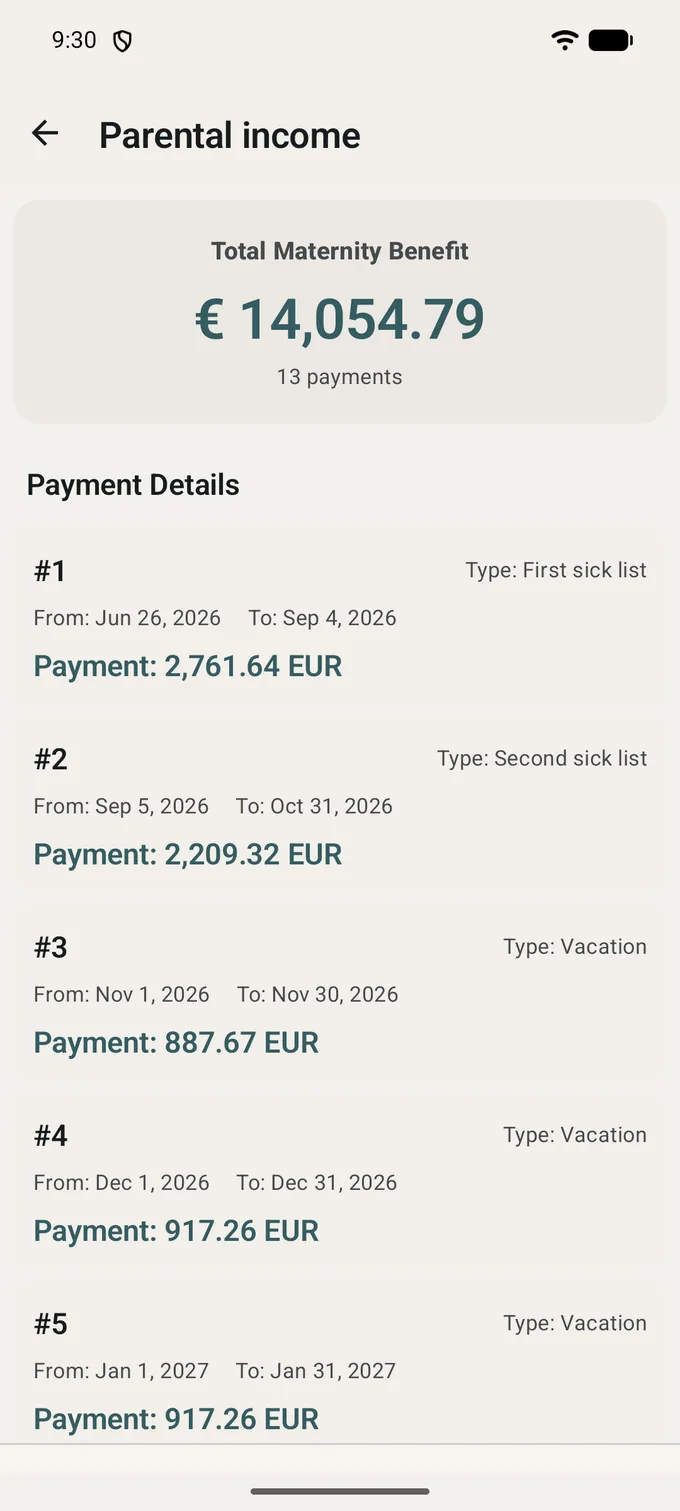
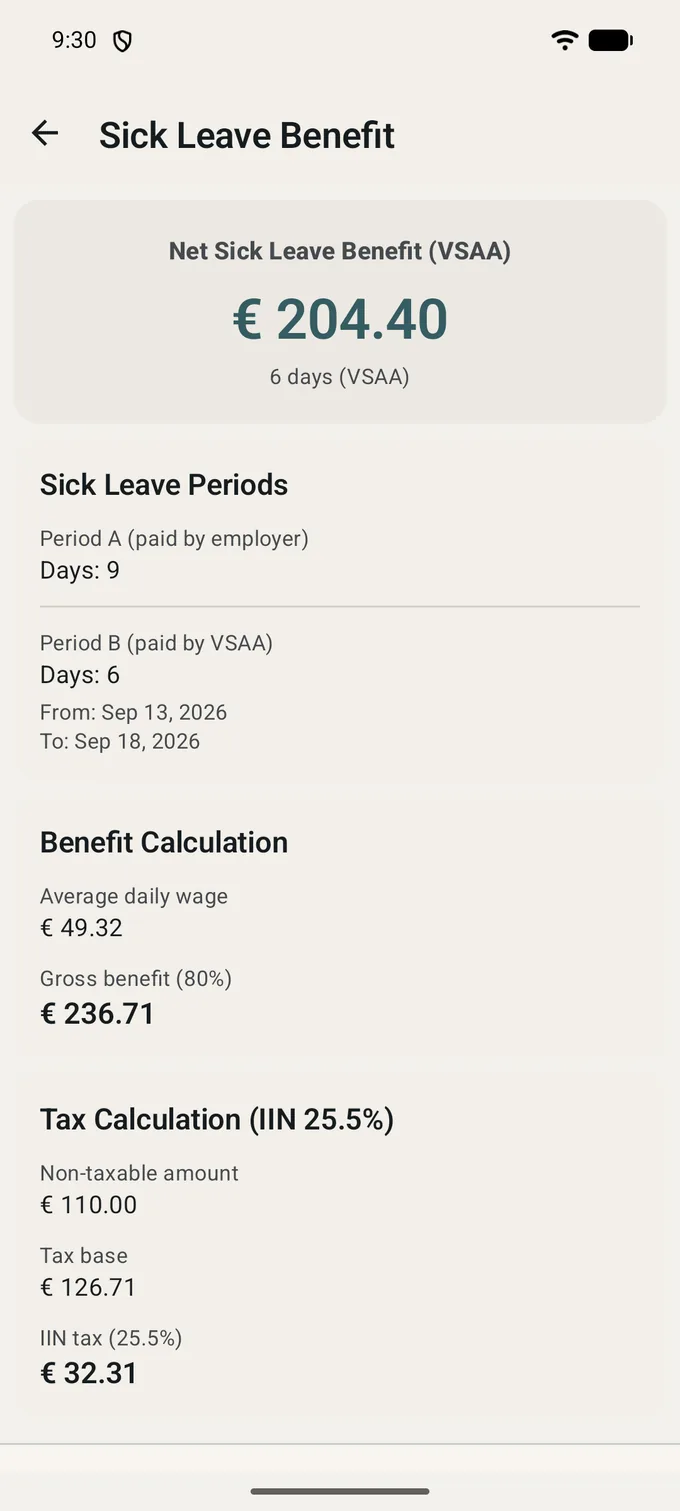
  • Parental benefit, unemployment benefit, sick leave under sheet B and the paternity benefit — the four VSAA payments people actually try to work out in advance.
  • Unemployment benefit takes the length of your insurance record, because the record decides both the rate and how the payment decays over the months.
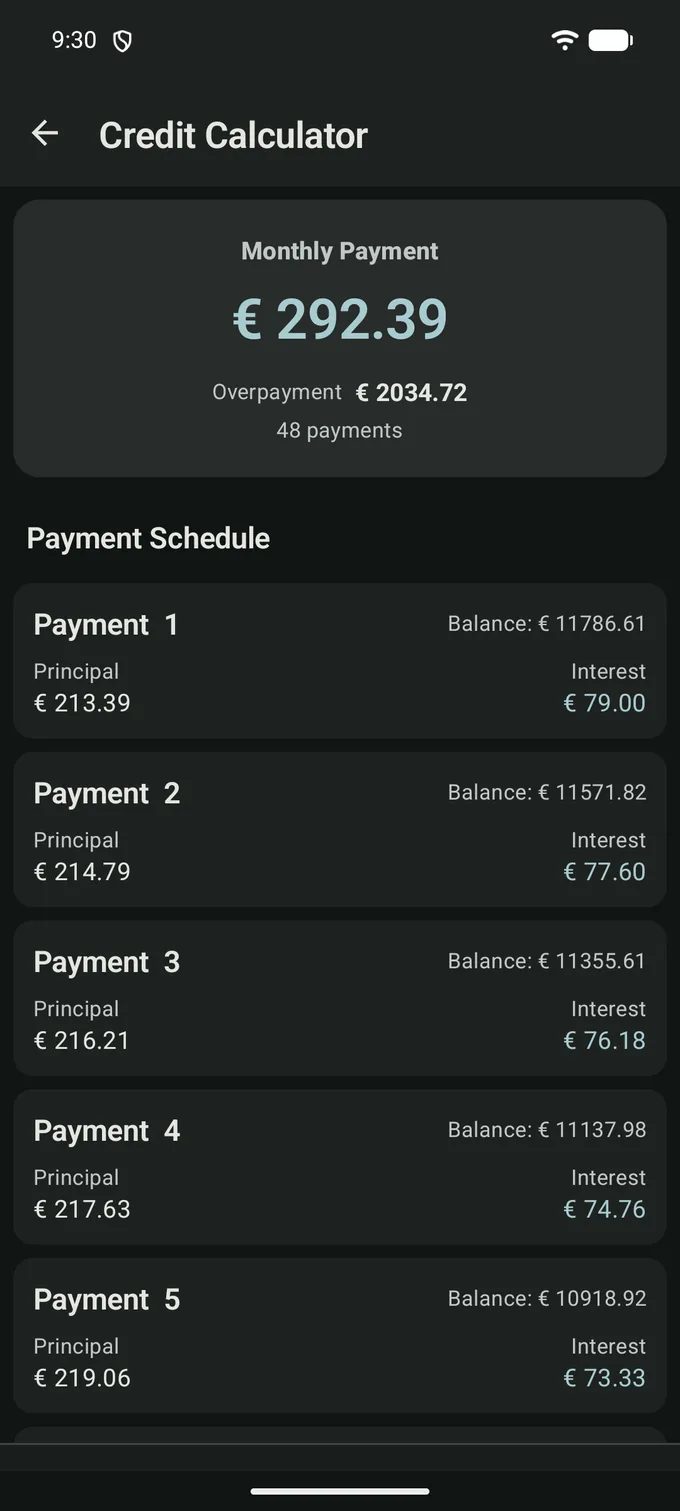
  • A loan calculator with annuity payments and the full amortisation schedule: payment by payment, principal against interest, and the balance left.
  • A deposit calculator with monthly compounding and optional monthly top-ups.
  • None of these is an application form. Nothing is submitted anywhere; the app only does the arithmetic.

Eight screens

The same screenshots as the Google Play listing, taken from the app itself. The figures on them are an example calculation, not anyone's pay.

What the app does not do

Most of this you can check before installing, against the permission list Google Play shows you: the app asks for one permission, and it is the internet.

  • It has no account and no sign-in. There is nothing to register, and nothing you type is sent to a server of ours — there is no server of ours.
  • It stores nothing you enter. The app has no database and writes no files; the one thing it keeps between launches is which theme you chose.
  • It asks for no location, no contacts, no camera, no storage and no phone state. The single permission in the manifest is INTERNET, and the only thing that uses it is the ad banner.
  • There is no crash-reporting or analytics SDK in the build: no Firebase, no Crashlytics, no Sentry. Crashes are not collected and the developer does not see them.
  • There is nothing to buy. The app has no billing code at all — no subscription, no premium tier, no ad-free purchase.

The one thing running the other way is the ad. Every screen carries a Google AdMob banner, and it is what pays for the app; loading it needs a connection and hands Google the usual advertising identifiers. What that means is set out in the privacy policy.

Get it on Google Play

Free, with ads. Android 6.0 and newer.

An estimate, not a decision

The app and its author do not represent any state institution or financial organisation. The rules behind the calculations are taken from the publicly available texts at likumi.lv and from the guidance of the VID and the VSAA, and the author is not responsible for the accuracy or the currency of those sources.

Use the result to plan with. The number that counts is the one on your payslip, in your VID declaration or in the VSAA's decision, and if the two disagree, it is the app that is wrong.

The same wording is shown inside the app, on the home screen, before you calculate anything.

From installing to the first figure

  1. Install it

    Free on Google Play, on Android 6.0 and newer. There is no trial and nothing to buy afterwards.

  2. Open a calculator

    Nine cards on the home screen, or the same nine in the side menu, grouped as salary and taxes, benefits, and finance.

  3. Type what you know

    One amount is enough to get an answer. The checkboxes are there for the cases that apply to you, and they can wait until the second run.

  4. Read the breakdown

    Not one number but the lines behind it, so you can see which part of the deduction is the income tax and which is the social contribution.

Find out what actually reaches your account

Install the app, type the salary from the contract, and read the eleven years of it. It takes about as long as finding the right page on a news site.

Get it on Google Play

Free, with ads. Android 6.0 and newer.